Introduction
This post should be short and sweet - the goal is to get this: 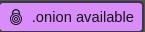 in the Tor browser.
References
TOR.org TOR.onion (hint: it’s the same page)
Implementation
The first step is to set up a Tor site. After that, everything is easy.
Nginx
Add this line to your site’s .conf file:
add_header Onion-Location http://<your-onion-address>.onion$request_uri;
Folder Structure
├──your-project-folder
│  ├──Dockerfile
│  ├──your-website-contents-folder
│  │  └──[CONTENTS]
└──└──nginx.conf
Nginx Contain in Docker
This configuration assumes you’re building your own docker container, and probably getting a custom url.
nginx.conf:
server {
    listen       8080;
    server_name  localhost;
    add_header Onion-Location {YOUR ONION ADDRESS}quest_uri;

    location / {
        root   /usr/share/nginx/html;
        index  index.html index.htm;
    }

    error_page   500 502 503 504  /50x.html;
    location = /50x.html {
        root   /usr/share/nginx/html;
    }
}
Dockerfile
FROM nginx:alpine
COPY public /usr/share/nginx/html
COPY nginx.conf /etc/nginx/conf.d/default.conf
Caddy
Caddy makes things much simpler, just add “header Onion-Location {your onion address}}/{path} ” to the Caddyfile.
Example:
{PUBLIC WEB ADDRESS} {
	file_server browse
	reverse_proxy {SITE LOCATION}
	header Onion-Location {TOR ADDRESS}.onion/{path}
}
NOTE: leave the {path} variable as is.
Example with Custom Docker Container:
Caddyfile
{PUBLIC WEB ADDRESS} {
	file_server browse
	reverse_proxy {SITE LOCATION}:{PORT}
	header Onion-Location {TOR ADDRESS}.onion/{path}
}
compose.yaml
services:
  caddy:
    image: caddy:latest
    container_name: caddy
    restart: unless-stopped
    ports:
      - "80:80"
      - "443:443"
      - "443:443/udp"
    volumes:
    # this is the caddyfile
      - $PWD/conf:/etc/caddy
      - $PWD/caddy_data:/data
      - $PWD/caddy_config:/config
    networks:
      - caddy_network
  {WEBSITE CONTAINER}:
    image: {YOUR REPO}/{YOUR CONTAINER}:{TAG}
    container_name: {NAME}
    restart: unless-stopped
    cap_drop:
      - ALL
    cap_add:
      - CHOWN
      - SETGID
      - SETUID
    networks:
      - caddy_network

networks:
  caddy_network:
    driver: bridge
Dockerfile
If you are building your own container:
FROM nginx:alpine
COPY public /usr/share/nginx/html